How to Download Facebook Private Videos
Step 1
Go to the video you want to download
Step 2
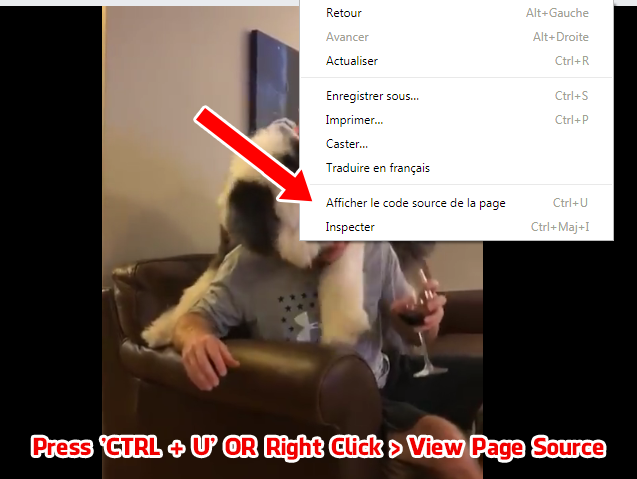
One can get the page source by right clicking on the video page and choosing the option "View Page Source".
Press "CTRL + U" OR Right Click > View Page Source
Step 3
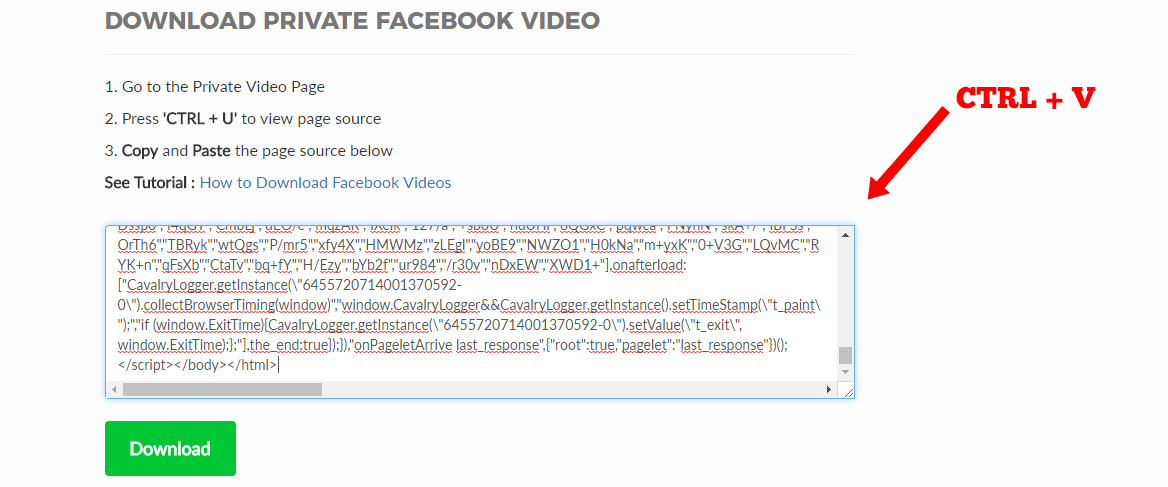
Now, Copied page source in the box provided. Once done, click the “Download” button provided.
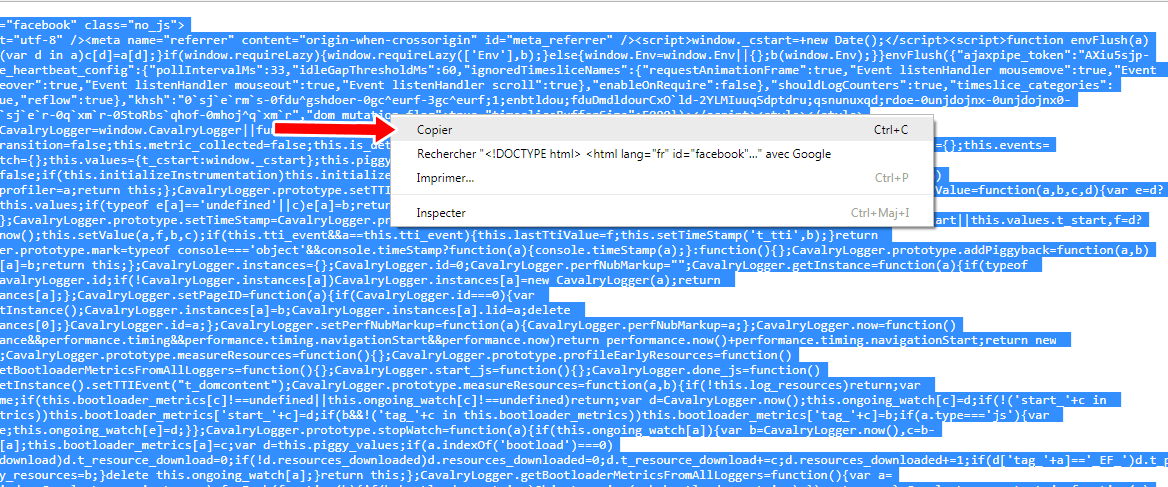
Press CTRL + A to select all, Press CTRL + C to copy all (HTML page)
Step 4
Go to this page Private Facebook Video Downloader Paste the copied source, then click Download